Smart campaign
- When to Use a Smart Campaign
- How a Smart Campaign Works
- Smart Campaign Structure
- Smart Ad
- Product Advertising in Smart Campaigns
- Campaign Goals
- Campaign Import and Export
- Ad Delivery and Priorities
- How to Optimize a Smart Campaign
- Good to Know
- Allowing SeznamBot Access
A Smart Campaign is a new type of campaign in Sklik that significantly simplifies the setup and management of advertising. You only provide ad copy and assets (images, logo, and optionally products), and Sklik then handles targeting, placement selection, and campaign optimization on its own.
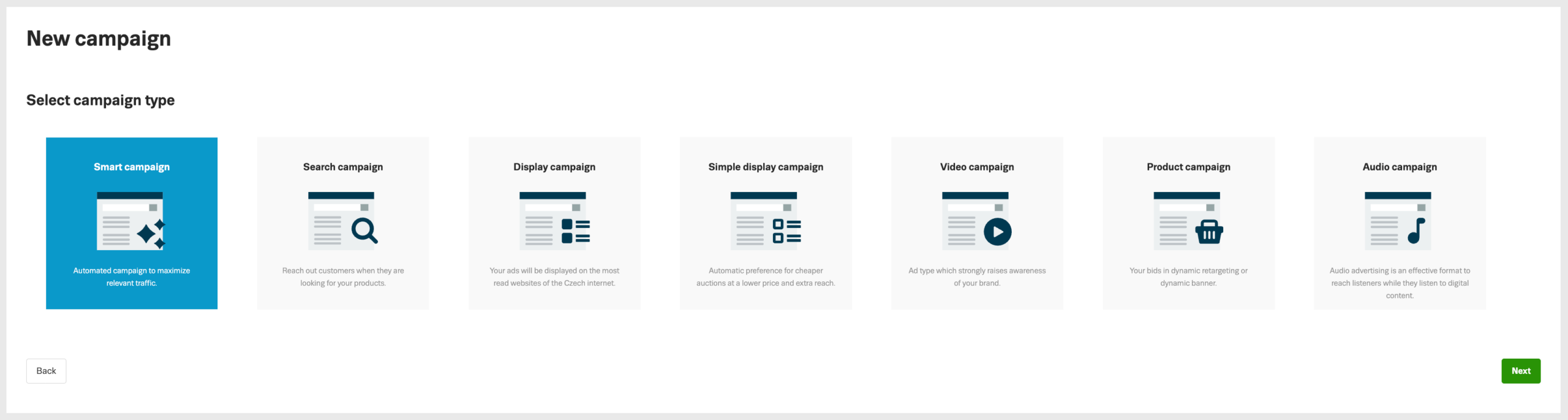
The campaign automatically appears in both search and the display network, with the goal of delivering the highest possible performance with minimal input on your part.
When to Use a Smart Campaign
A Smart Campaign is suitable in the following cases:
- if you want to launch ads quickly without detailed targeting setup
- if you are just getting started with online advertising
- if you want to effectively extend reach alongside existing search and display campaigns
- if you are looking for a campaign that requires minimal ongoing optimization.
For experienced advertisers, a Smart Campaign can serve as a complement to existing campaigns, delivering additional reach and new audiences without reducing the performance of existing campaigns (see below).
How a Smart Campaign Works
With a Smart Campaign, you only provide the inputs — Sklik takes care of everything else:
- you do not set keywords or any other targeting
- the system evaluates suitable search queries, audiences, and placements on its own
- ads are automatically shown where they perform best
- the system continuously tests and optimizes combinations of texts and images.
A Smart Campaign currently appears in:
- the Seznam search network
- the Seznam display network (including product advertising, if you use it).
Smart Campaign Structure
StrukThe structure of a Smart Campaign is similar to other campaigns in Sklik:
- Campaign
- Ad Groups
- Smart Ad
- optional banner
- optional product advertising (max. 1 group per ad group)
- Ad Groups
The standard Sklik principle applies – each landing page should have its own ad group. We recommend structuring ad groups by thematic units (e.g. individual categories or services). There is no need to create ad groups for individual products in your e-shop, as this is primarily covered by the Shopping campaign type.
Smart Ad
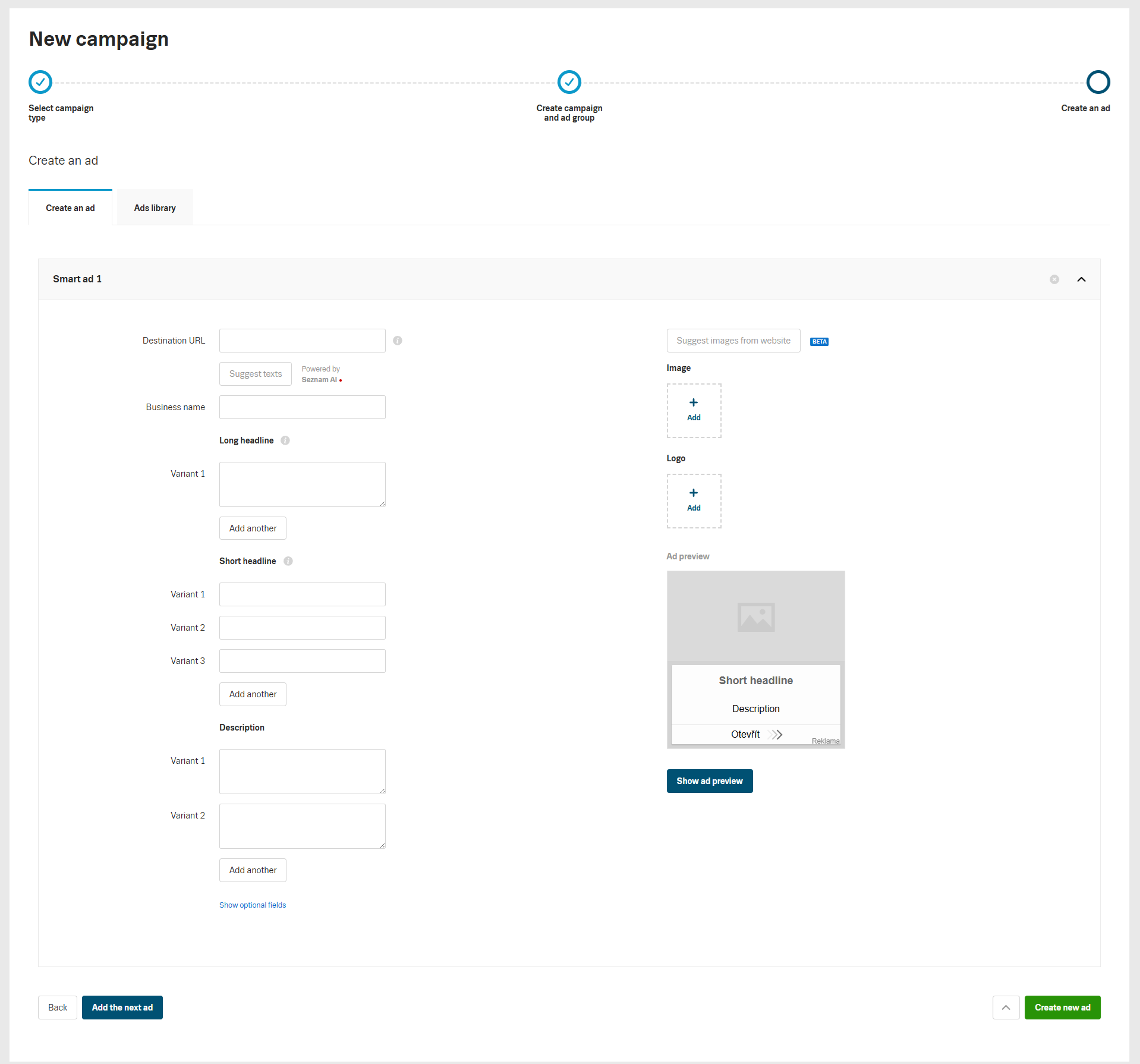
A Smart Campaign uses a new ad type – the Smart Ad.
It consists of:
- multiple text fields (headline, long headline, description, etc.),
- several images and a logo.
Sklik automatically combines individual elements, tests variations, and identifies those with the best performance.
Individual text fields may appear simultaneously in delivery, so their content should always make sense on its own and should not overlap with one another.
Suggesting texts using Seznam AI
Ad texts can be automatically suggested using artificial intelligence — Seznam AI. In the ad creation step, click Suggest texts.
Always review the suggested texts before saving to ensure they are factually accurate and reflect how you want to advertise the given website
Images in Smart Campaigns
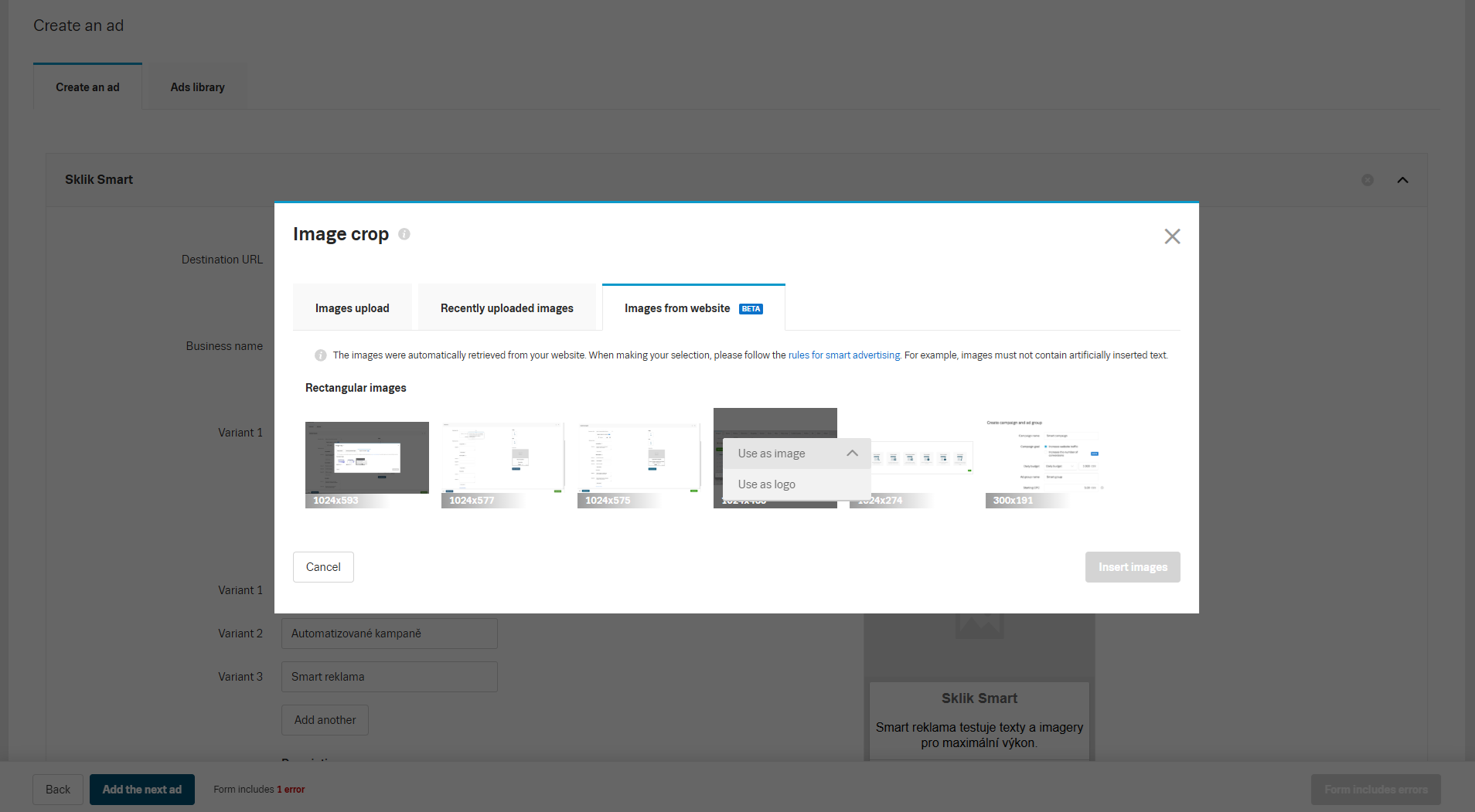
For responsive and Smart ads, the same image rules apply.
- images must not contain text,
- they must meet Sklik’s technical and content requirements.
BETA Images can be downloaded from the target URL. Select the ones you want to use in your ad. Keep the rules above in mind.
Product Advertising in Smart Campaigns
If you have a product feed and a business premises, you can also use product advertising in the display network within a Smart Campaign -in the format of dynamic banners and dynamic retargeting.
Product advertising can be:
- created when setting up an ad group,
- or added later to an existing ad group.
When setting up product advertising, you configure:
- Business premises (if you have more than one in your account) – a single campaign can only be linked to one store.
- Product group – you can choose:
- smart delivery – the Smart Campaign selects displayed offers based on expected performance across all offers in the feed; this is the recommended setting,
- custom selection to limit which offers are shown.
- Template – optional setting, can be added later.
Product advertising can run in the same ad group as a Smart Ad or banner. Only one product group can be assigned to a single ad group in a Smart Campaign.
Campaign Goals
When creating a new Smart Campaign via the wizard, or in the settings of an existing campaign, you can choose a Campaign Goal.
Smart CPC takes into account the network type and daily budget settings. If a higher max. CPC is set – roughly above 5 CZK that higher amount is primarily utilized for the Search Network, where conversion performance tends to be stronger because users are further along in the purchasing process. In the Display Network, a lower amount is used initially and is gradually increased only if there is sufficient room within the campaign’s secured daily budget. Therefore, there is no need to hesitate about setting a competitive max. CPC for the Search Network in a Smart campaign.
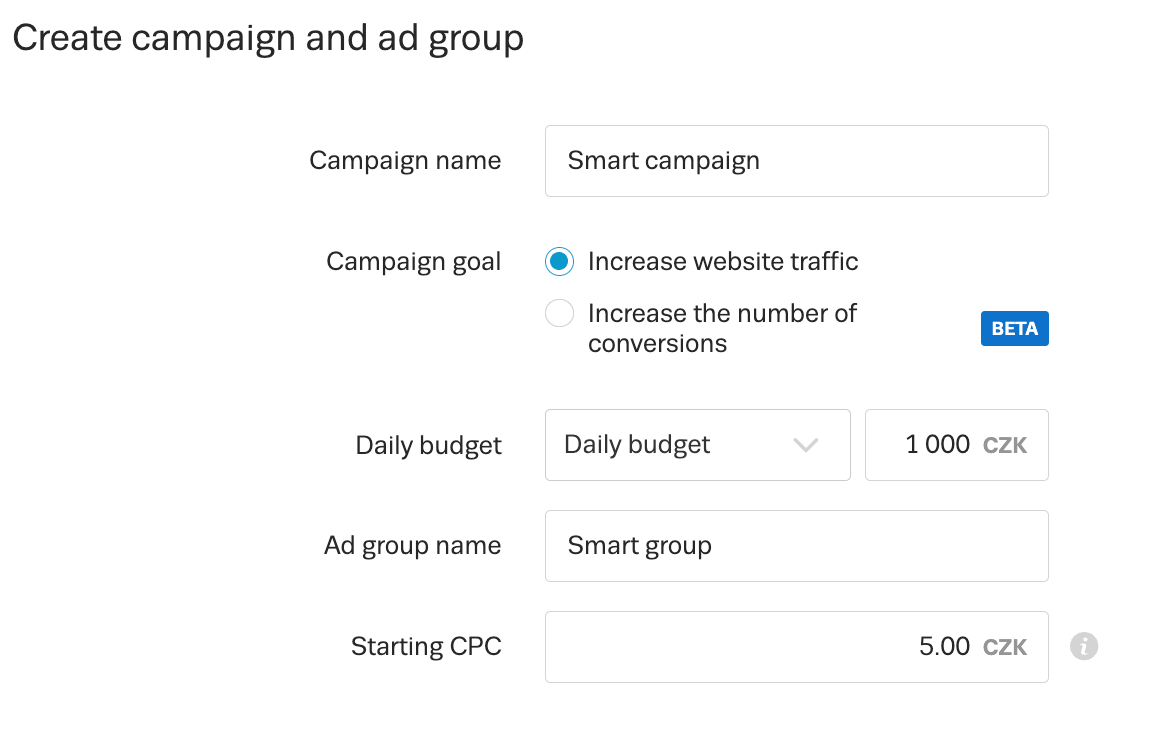
- Increase website traffic
You set a maximum CPC - Increase number of conversions BETA
You set both a maximum CPC and a maximum CPA (cost per conversion).
This strategy uses the Maximize Conversions bid strategy. Unlike other campaign types, a Smart Campaign does not require a minimum number of conversions to activate it. Until it reaches a sufficient number of conversions, it runs with the specified max. CPC and is marked with a “Learning stage” label in the interface.
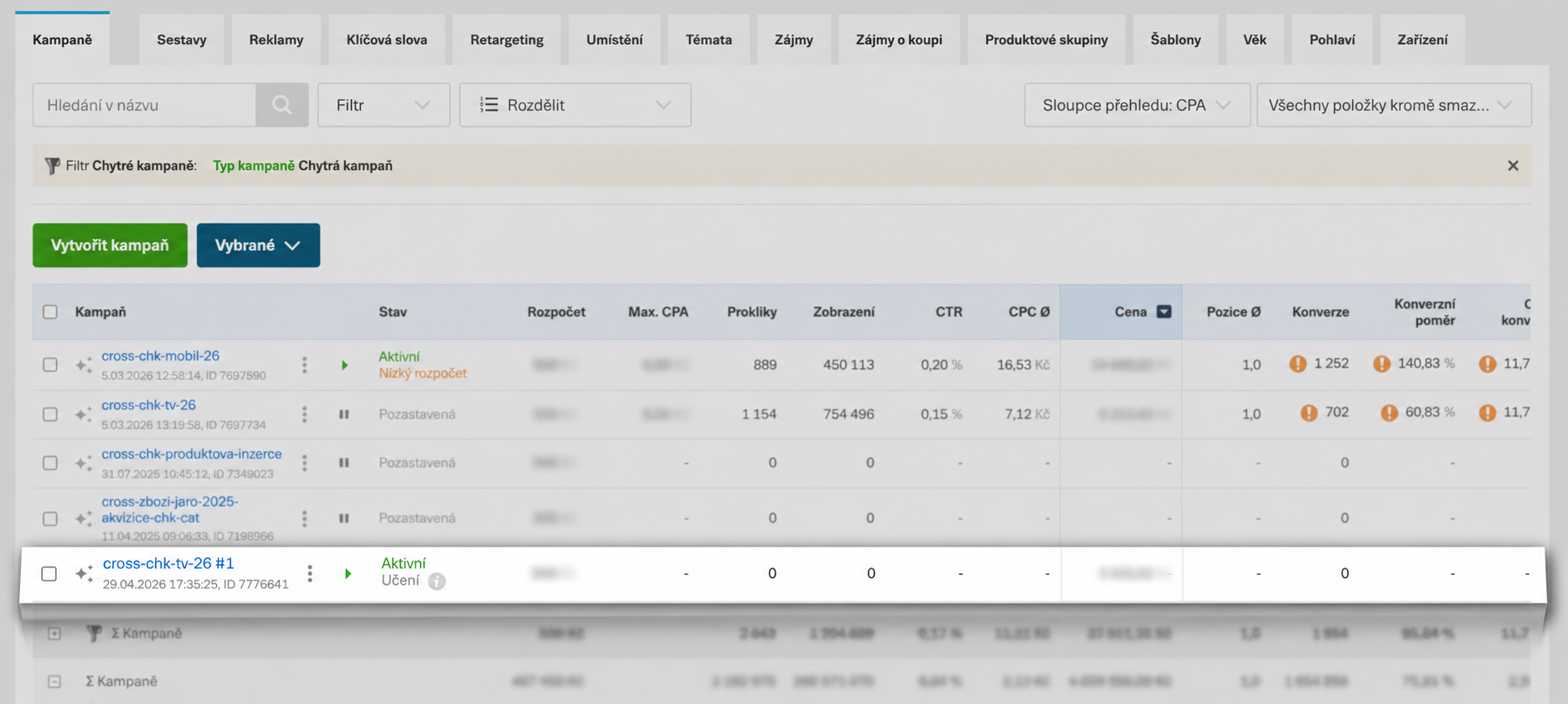
Once it achieves at least 30 conversions in the search network and at least 30 conversions in the display network over the past 30 days, it automatically switches to Maximize Conversions mode, and the system takes over setting CPC in auctions on your behalf. To ensure the strategy works well, follow the recommendations when both setting up and evaluating the campaign.
If the campaign stops meeting the minimum conversion threshold, it does not switch back to CPC mode.
Campaign Import and Export
Smart Campaigns are fully supported in import and export via CSV files.
You can also use direct linking between Sklik and Google Ads to automatically import Performance Max campaigns, which are converted into Smart Campaigns due to system compatibility. However, please note that videos from asset groups (including videos automatically generated by Google) and product data from Google Merchant Center (e.g. product images, names, prices, descriptions, and other product attributes) are not imported.
Ad Delivery and Priorities
Search
In the search network, a standard search campaign always takes priority if it contains a keyword matching the user’s query.
A Smart Campaign therefore:
- does not take reach away from existing campaigns,
- serves to extend it.
This is the main reason why an advertiser with long running search campaigns may see a much lower share of Smart Campaign spend compared to the display network.
Display Network
For dynamic retargeting, a standard product campaign has higher priority than a Smart Campaign. So if you have unlimited dynamic retargeting active in your account, a Smart Campaign will not reduce its performance.
For other campaign types in the display network, no priorities are defined. Due to the large volume of auctions, a Smart Campaign typically complements the reach of other campaign types regardless.
How to Optimize a Smart Campaign
- In the statistics, you will see search queries and automatic placements (only in the Reports section). Queries and placements can be excluded similarly to standard campaigns. Negative keywords only work in the search network, not in the display network. Display network support is planned.
- A Smart Campaign explores — meaning it tries to appear for new relevant search terms or websites in the display network. If these impressions are not successful in meeting the campaign goal, the system will stop delivering them on its own. Not all queries or placements visible in your statistics are therefore actively used at the time you view them.
- You can support optimization by excluding unwanted queries or placements, but the system removes unsuccessful ones automatically, and these unsuccessful impressions without clicks do not harm campaign performance due to hierarchical feedback.
- For the Increase traffic strategy, adjust the set max. CPC based on achieved performance.
- For the Increase conversions strategy, follow the Maximize Conversions recommendations. In particular, we recommend:
- Set an appropriate max. CPA to avoid reducing the volume of conversions the campaign drives.
- Wait at least 14 days before evaluating performance, ideally 30 days.
- Do not change the set max. CPA frequently.
Good to know
A Smart Campaign does not support:
- bid adjustments by device (in development),
- negative keywords in the display network (in development),
- scheduling,
- display statistics for this type of campaign separately via the API (in progress),
- controlling the share between search and display network.
Allowing SeznamBot Access
For Sklik to be able to:
- suggest ad texts,
- evaluate landing page content,
- download images from the landing page,
- target ads correctly,
website indexing by the SeznamBot crawler must be permitted (including robots.txt).