
Retargeting lists
SEM replaces the old retargeting codes with a unified system of retargeting lists managed in Event Management. Lists are populated automatically based on SEM events.
Types of retargeting lists
SEM has six types of retargeting lists:
| Type | Description | Conditions |
|---|---|---|
| Standard list | Manually created list based on a combination of conditions (URL, content_type, purchase value, gender…) | Fully configurable |
| Combination | A combination of multiple existing retargeting lists using logical operators | Fully configurable |
| Email list | A list created by uploading hashed customer emails | – |
| Dynamic list | Created automatically for each store linked to Seznam Shopping – three lists are created: Product visitors, Product visitors on Seznam websites, Category visitors | Cannot be edited – see Dynamic retargeting |
| Lookalike list | A list of users similar to those in an existing source list | Cannot be edited |
| Conversion list | Created automatically for each conversion event – contains users who completed the conversion | Cannot be edited |
Conversion list
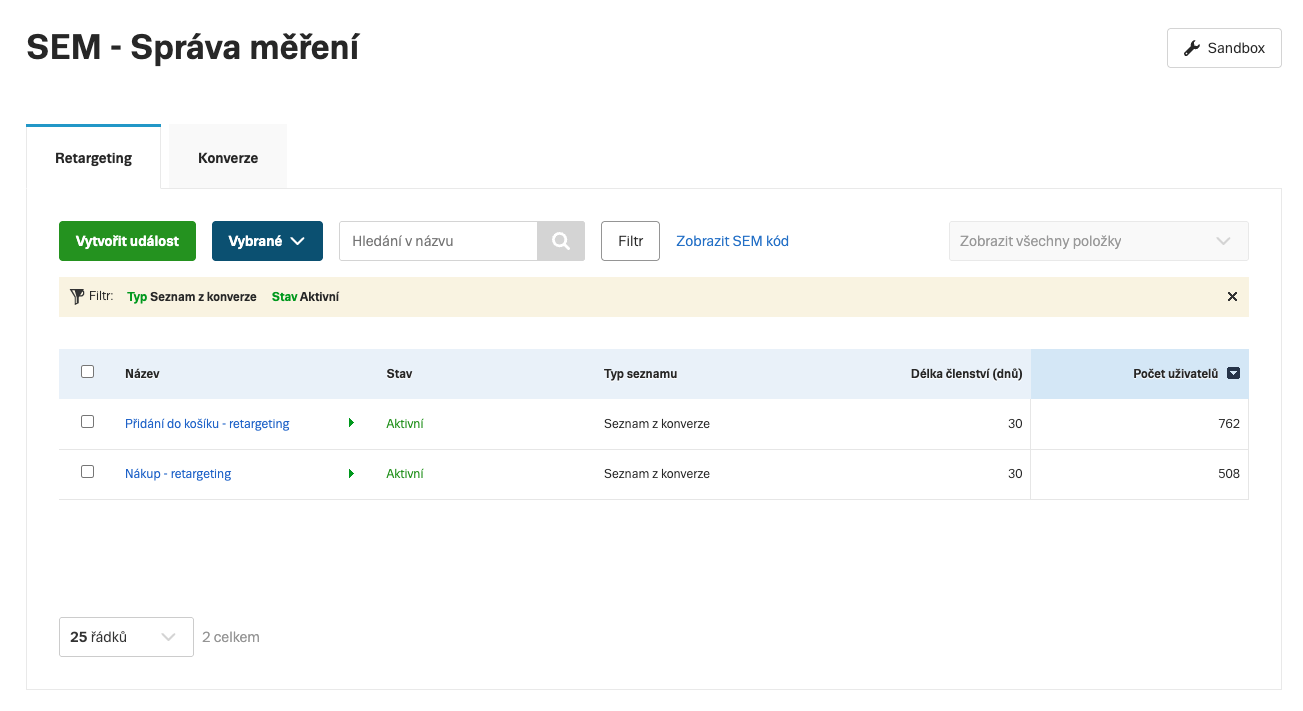
For each conversion event, SEM automatically creates a corresponding retargeting list. This list contains users who completed the given conversion – it can be used for remarketing or as an excluded audience in campaigns. The conditions of these lists cannot be edited manually.
Conversion lists are displayed in the Retargeting lists tab in Event Management.
Custom retargeting list
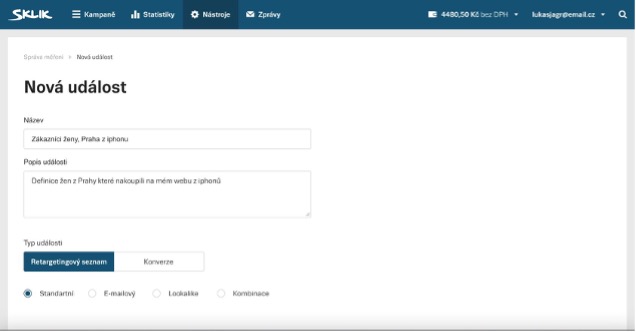
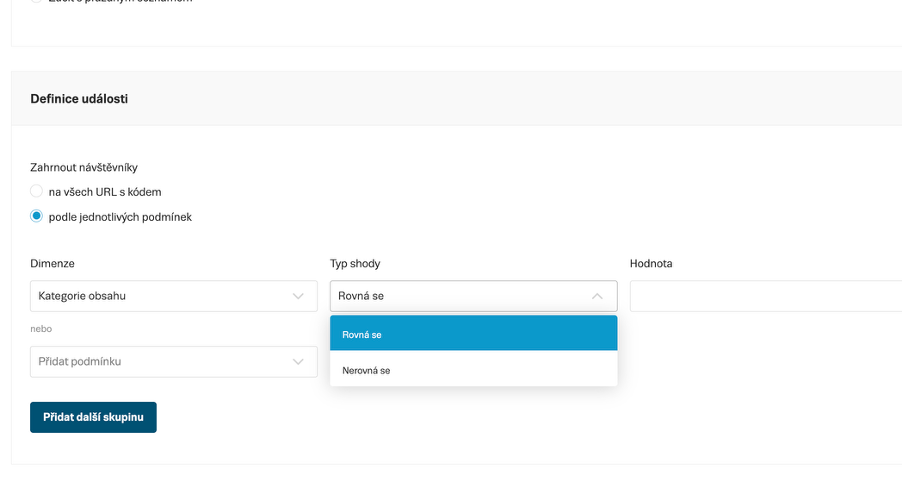
You define a custom list in the Retargeting lists tab by combining conditions based on SEM events. The conditions determine which event and parameters cause a user to be added to the list.
Supported conditions
| Condition | Example value |
|---|---|
| Page URL | contains /product/ |
| Content type | The value is derived automatically from the event type: Product – ViewContent / PageView + content_type: 'product'Category – ViewContent / PageView + content_type: 'product_group'Page – PageView without content_typeSearch – Search |
Product ID (contents[].id) | SKU-12345 |
Content name (content_name) | Samsung QLED 55" |
Content category (content_category) | Elektronika | Televize | LCD televizory |
Purchase value (value) | greater than 1000 |
| Gender | female |
| City | Praha |
| Country | cz (ISO 3166-1 alpha-2) |
| Event source | Web / App |
SEM script parameters for conditions
For conditions to work, the implementation must send the corresponding parameters in SEM events:
| Condition in the interface | SEM script parameter |
|---|---|
| URL | event_url |
| Content type | content_type |
| Product ID | id (in the object within the contents array) |
| Content name | content_name |
| Category | content_category |
| Purchase value | value |
| Gender | ge |
| City | ct |
| Country | country |
| Event source | event_source |
AND / OR logic in conditions
Conditions within a single object in the contents array are evaluated as AND (all must be true). Conditions across multiple objects in the array work as OR (only one needs to be satisfied).
Migration from old retargeting codes
After switching to SEM (by clicking Start using SEM):
- Old retargeting codes stop collecting data immediately
- Existing retargeting lists are transferred to SEM at the moment of switch-over 1:1 – ad groups using these lists will continue to run after the switch-over, you do not need to change or add anything in campaigns or ad groups
- New SEM retargeting lists start collecting data immediately after the switch-over – they can only be created after switching
The original retargeting lists from conversions remain in the same configuration after migration, but their settings cannot be changed further. The audience of these lists will naturally decline because they are linked to old conversions that will no longer be recorded after the transition to SEM. We therefore recommend starting to use new retargeting lists created from SEM conversions after migration.
The switch-over cannot be undone
Once you confirm the transition to SEM, data collection via old scripts cannot be resumed. We recommend setting up conversions in Event Management before performing the switch-over.